Leonardo AI Image Detector: Phoenix Model Tells and Missing Provenance
 Sana Bano
·October 14, 2026
·15 min read

Use a leonardo ai image detector carefully: weigh visual clues, scores, metadata, and provenance without overclaiming.
Key Takeaways
A detector can help you weigh clues, but it cannot identify a creator or model with certainty. Treat visual details, metadata, and source context as pieces of evidence rather than a verdict.
- A score estimates whether an image looks AI-generated; it does not prove who or what created it.
- Visual oddities can be useful clues, but they are not unique to AI images or to Phoenix.
- Original files and source records often provide more context than a screenshot alone.
- Editing, resizing, and compression can change what a detector or viewer can assess.
- When the stakes are high, document uncertainty and seek independent review.
What a Leonardo AI image detector can and cannot tell you
A search for a leonardo ai image detector often reflects a more specific question: whether a picture came from Leonardo AI, and perhaps from Phoenix in particular. Those are different claims from simply asking whether an image appears AI-generated. A visual scan can help you assess clues, but attribution usually needs more than pixels. The safest approach is to combine a detector result with the image’s history and surrounding context.
Separate AI-generated detection from identifying a specific model
An image detector may estimate whether an image appears generated or edited with AI, but that does not automatically reveal the tool or model that made it. Even a result that strongly suggests AI generation cannot, by itself, distinguish Phoenix from another system or from an extensively edited image. GPTOne offers an AI Image Detector for assessing whether images appear real, AI-generated, or AI-modified; its result is evidence to consider, not a model identification certificate. Keep the question narrow: what does this scan actually indicate?
Understand why detector scores are estimates, not proof
A confidence score is a measurement produced by a detector, not a percentage certainty that a particular model created the file. Detection systems can make mistakes, especially when images are unusual, heavily edited, or unlike examples the system has seen. The useful question is not just “What is the score?” but “What signals and limitations sit behind it?” A practical explanation of how image detection works can help you interpret scores without treating them as proof.
A score becomes easier to assess when you separate the possible evidence from the conclusion you might draw:
| Evidence | What it may suggest | What it cannot establish alone |
|---|---|---|
| Detector score | Patterns associated with AI generation | The exact tool or model |
| Visual irregularity | A detail worth closer inspection | That the image is synthetic |
| Metadata entry | A recorded tool or file history clue | A complete, unaltered chain of custody |
| Creator statement | The creator’s account of the process | Independent verification of every claim |
Read the result as one signal among several. A high score can justify a closer look, while a low score does not guarantee that the image is authentic or untouched.
Compare detector results with the image’s context and source
An image’s source can change how you interpret the same visual evidence. A post that names an artist, links to an original file, or describes an editing process gives you something concrete to check; a repost with no attribution gives you much less. Look for the earliest available publication, captions, and any explanation from the person who supplied the image. The three-layer image verification approach is a useful reminder to consider pixels, provenance, and context together.
Recognize how editing and compression can affect analysis
An edited, resized, filtered, or compressed copy may no longer preserve the same details as the original. That can make subtle artifacts harder to inspect, while sharpening or other changes may create new irregularities that look suspicious. A screenshot adds another layer of uncertainty because it may discard file information and alter image quality. Record which copy you assessed, rather than treating every version as interchangeable.
Phoenix model tells to inspect in an image
There is no dependable visual fingerprint that lets you identify Phoenix from appearance alone. You can still inspect familiar trouble spots, because small inconsistencies may help you decide what to verify next. But a flaw is a prompt for closer review, not a label for its origin. Keep your expectations modest, especially when you are working from a low-resolution repost.
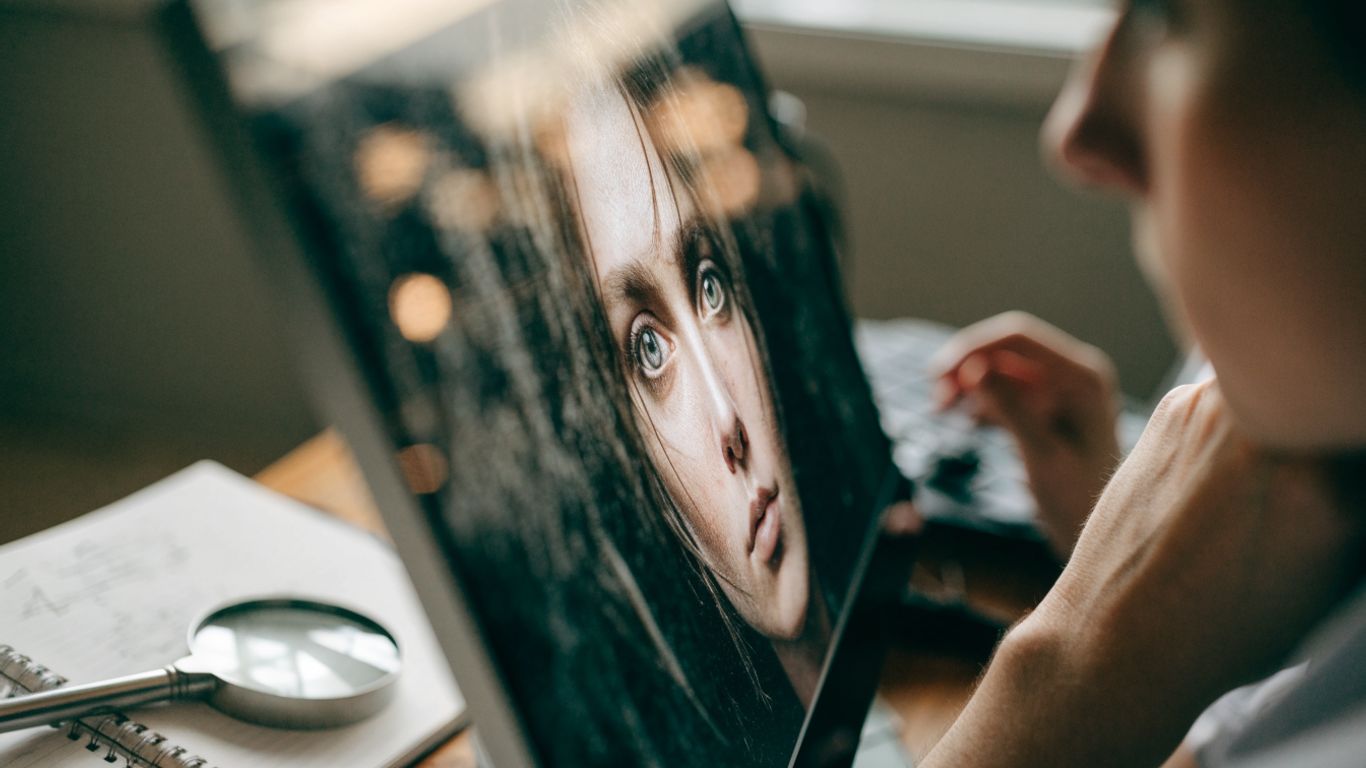
Look for inconsistencies in hands, faces, and fine details
Zoom in on hands, facial features, jewelry, hair, and other areas where small structural errors may stand out. Check whether fingers connect naturally, whether facial details align, and whether fine edges remain coherent. These issues can occur in generated images, but they can also appear in ordinary photographs because of motion blur, retouching, or compression. Treat an odd detail as a reason to compare the full image and source, not as proof of a particular model.
Check text, logos, and repeated patterns for distortions
Small lettering, logos, patterned fabric, and repeated objects can be revealing places to look closely. Notice whether letters remain consistent, whether a repeated shape changes unexpectedly, or whether an emblem has details that do not hold together at full size. Yet a blurry logo or broken lettering may also come from a tiny source image or aggressive resizing. If the detail matters, compare it with a higher-quality copy before drawing conclusions.
Examine lighting, reflections, and object interactions
Look at how light falls across nearby surfaces, whether reflections match the objects around them, and whether objects appear to touch or overlap in a plausible way. Shadows and reflections can be difficult to interpret in staged scenes, glossy materials, or dramatic lighting, so one mismatch rarely settles the question. A useful check is to ask whether the same lighting explanation makes sense across the whole scene. Local clues are strongest when they fit a broader pattern.
Treat polished composition as a clue, not a reliable fingerprint
A carefully arranged, highly polished image may catch your attention, but composition and finish do not identify a generator. Photographers and digital artists also create balanced scenes, controlled lighting, and clean surfaces. Conversely, generated images may be rough, cluttered, or intentionally imperfect. Style can suggest what to inspect; it cannot reliably name Phoenix or prove that Phoenix was involved.
How to check an image for Leonardo AI signals
A careful check is a sequence, not a single upload and verdict. Start by keeping the image’s source and file version straight, then look at detector results alongside visual evidence. If you are trying to determine whether Phoenix was involved, be especially cautious about converting a general AI signal into a specific attribution. A short written record of what you checked makes that distinction easier to preserve.
Start with the original file and its available context
Whenever possible, ask for the original file rather than a screenshot or an image downloaded from a social feed. Save the source URL, caption, date, and any explanation supplied by the person who shared it. If there are several copies, note which one you analyzed because their compression and metadata may differ. That simple step makes later comparisons more useful and helps prevent a repost from being mistaken for the source image.
Run more than one image detector and record the results
One detector can be wrong, so comparing independent results may show whether the evidence is consistent or mixed. GPTOne’s AI Image Detector combines model-based detection with visual and frequency-based signals, metadata and generator fingerprints, and provenance checks such as C2PA Content Credentials; results can include a confidence score, signal analysis, and a region heatmap. Keep the output in proportion to its scope: a result about apparent AI generation does not name Phoenix unless the evidence specifically supports that attribution. For a tidy review, record the following for each scan:
- The exact file or copy submitted
- The date and detector used
- The score and any signal explanation shown
- Areas highlighted for closer inspection
A written log makes conflicting results visible instead of encouraging you to remember only the one that fits your first impression. You can also try an image scan as one part of a broader review, not a final ruling.
Inspect suspicious areas at full size
A heatmap or highlighted region can direct your attention, but the image itself still needs to be inspected. Open the original at full size and compare the flagged area with nearby details, edges, and lighting. A highlighted patch might reflect a genuine inconsistency, a complex texture, or an effect of editing. Use the marker to guide your eyes, then decide whether the underlying visual evidence makes sense.
Compare likely clues with known limitations of visual analysis
Before you label an image, check whether your conclusion depends on one fragile clue, such as a strange hand or a detector score from a compressed copy. A useful framework for visual clues and their limits can help keep inspection grounded. Consider whether the clue has an ordinary explanation and whether other evidence supports the same reading. If not, say that the image is uncertain rather than forcing a confident answer.
What missing provenance means
Provenance is information about where an image came from and how it was created or changed. Sometimes a file contains useful metadata or credentials; sometimes it carries little history at all. Missing information does not tell you whether an image is AI-generated. Treat provenance as one route to corroboration, and remember that an incomplete record is common in files that have been shared or edited.
Check whether metadata identifies a tool or creation process
Inspect the file’s available metadata for entries that identify software, a creation process, or a content credential. A relevant entry may help explain how a file was made or handled, but it is only as useful as its reliability and completeness. Check whether the record belongs to the exact file you are reviewing, not just a similar-looking version. Metadata can add context; it does not replace a source history.
Understand why AI origin details may be absent or stripped
Metadata may disappear when an image is exported, edited, uploaded, or passed through a service that creates a new copy. A person may also remove file details for privacy or deliver an image that never included them. So a clean metadata panel does not mean the image is camera-original, and an empty panel does not mean it was generated by AI. The absence of a record is simply a limit on what the file can tell you.
Distinguish missing metadata from evidence of AI generation
It is tempting to treat missing provenance as suspicious because it leaves questions unanswered. But the gap itself is not a positive signal of AI generation; it is an absence of information. Separate what you observed from what you infer: “No creation metadata was present” is a defensible statement, while “The file has no metadata, so it is AI-generated” is not. That distinction matters when you share findings with others.
Look for corroborating source records, captions, or creator statements
If the file gives you little history, look outward. Find the earliest version you can locate, compare captions across posts, and ask the source or creator how the image was made. An account may be incomplete or mistaken, so treat statements as corroboration rather than automatic proof. A consistent source record and file evidence together offer a firmer basis for describing the image than either one alone.
Why Phoenix images can be difficult to attribute
Attributing an image to one specific model is a harder task than noticing that it may have been generated with AI. Visual styles overlap, files get changed, and the available evidence varies from one image to the next. A convincing-looking clue may point to a broad category without identifying a source. For that reason, careful language is part of the analysis, not an afterthought.
Account for model updates and changing generation styles
Generative systems can change over time, and a visual tendency you associate with one version may not hold across other versions or prompts. A single example cannot establish a stable signature for a model. Without a verified reference set and reliable provenance, style comparisons should remain tentative. Avoid presenting a remembered look as a dependable test for Phoenix.
Consider post-processing, resizing, and screenshots
An image may be cropped, retouched, sharpened, or passed through multiple platforms before you see it. Each transformation can remove, weaken, or introduce details that affect visual inspection and detection. A screenshot is especially limited because it may combine the image with interface elements and discard the original file’s history. When possible, compare the submitted copy with an earlier or higher-quality version.
Recognize overlap between AI imagery and conventional digital art
Digital artists can use compositing, painting, filters, and cleanup methods that produce patterns resembling synthetic imagery. AI-generated images can also be edited by hand, making the boundary between a generated source and a finished composite less obvious. The label “AI” may describe only one stage of an image’s creation. If your evidence cannot separate those possibilities, state that limitation plainly.
Avoid claiming a particular model from visual style alone
A polished portrait, a particular color palette, or a strange detail is not enough to name a model. Ask what independent evidence supports the attribution: file credentials, a reliable source statement, or a detector result that actually addresses model identification. If you have only a visual impression, describe it as such. That is more useful than giving readers a confident but unsupported answer.
How to report a likely Leonardo AI image responsibly
When you report an image, your wording can be as consequential as the scan itself. Readers may repeat a confident label long after its uncertainty has been forgotten. Keep observations, detector outputs, and conclusions in separate lanes, and preserve enough detail for someone else to review your reasoning. If the image could affect a person or organization, slow down before making a public claim.
Describe the evidence and uncertainty separately
Write down what you observed before interpreting it: the score, visible irregularities, available metadata, and source context. Then explain what those details may indicate and what they cannot establish. For instance, a detector result may suggest AI generation while leaving the specific model unknown. This phrasing lets readers see the difference between evidence and attribution.
Preserve the original file and document detector outputs
Keep the original file unchanged when you can, and save a separate working copy for inspection. Record the date, file version, detector used, score, and any highlighted regions or explanation. If the image came from a web page, keep its URL and a note of the caption or surrounding context. Those records make your review easier to reproduce and reduce the risk of relying on a memory of the result.
Use cautious language when attribution is unverified
Choose wording that matches the strength of the evidence. “The image may be AI-generated” is different from “Phoenix created this image,” and the latter requires specific support. If you cannot verify the model, say so directly rather than letting readers infer certainty. Careful wording is not evasive; it gives people a more accurate account of what is known.
Escalate high-stakes decisions for independent review
If an image may influence a legal, academic, employment, financial, or public-interest decision, do not rely on a single scan or visual judgment. Ask an independent reviewer to examine the original file, source history, and detector evidence. An outside assessment can catch assumptions that are hard to notice when you are invested in one interpretation. The greater the consequence, the more important it is to verify the process.
Conclusion
A detector can help you assess whether an image appears AI-generated, but visual clues, scores, and missing metadata do not reliably identify Phoenix on their own. Preserve the original, check the source, compare evidence, and describe uncertainty honestly. If the model cannot be verified, do not claim more than the evidence supports.
Try an Image Check
For an additional signal, try the GPTOne AI Image Detector and use its result as one part of a careful verification process.
Frequently Asked Questions
Can a detector prove that an image was made with Phoenix?
No. A detector may indicate that an image appears AI-generated, but that does not by itself identify Phoenix or establish the image’s full creation history.
Does a high AI score identify the image generator?
Not necessarily. A score is an estimate based on a detector’s signals and may address whether an image appears AI-generated without naming the specific model.
Are visual flaws proof that an image is AI-generated?
No. Distorted details can be clues, but blur, editing, compression, and ordinary image-making processes can also create irregularities.
Does missing metadata mean an image was made with AI?
No. Metadata can be absent or removed during export, editing, or sharing, so its absence does not establish an image’s origin.
Can a screenshot be reliably checked for AI signals?
It can be examined, but a screenshot may lose metadata and image detail. Whenever possible, compare it with the original file or a higher-quality copy.
What should you do when detectors disagree?
Keep both results, inspect the file and source context, and avoid choosing the score that simply matches your expectation. Mixed results are a reason to report uncertainty.
How should you describe an image when its origin is unclear?
State the evidence you have and what remains unknown. If you cannot verify a specific tool or model, describe the image as possibly AI-generated rather than naming a source.