Is this image AI generated? A practical guide to spotting and verifying synthetic images
 Sana Bano
·September 18, 2026
·17 min read

Wondering is this image ai generated? Learn visual checks, detector limits, provenance, and verification steps.
Key Takeaways
To answer “is this image ai generated,” combine visual inspection, file history, source research, and detector results rather than trusting one clue.
- Look closely at hands, eyes, teeth, text, reflections, and background details.
- Treat detector scores as evidence, not conclusive proof.
- Use the original file whenever possible; screenshots and compression hide useful signals.
- Compare reverse image results, metadata, captions, and publication history.
- Label uncertainty clearly before sharing or acting on a suspicious image.
What makes an image look AI generated
Synthetic images often reveal themselves through small inconsistencies rather than one dramatic error. You may notice anatomy that almost works, lettering that resembles language without forming words, or light that seems to come from several directions. These clues are useful starting points, but none proves how an image was made.
A practical AI image detection guide can help you distinguish fully generated pictures from real photos that contain an AI-edited region. That distinction matters because a mostly genuine image can look convincing while still containing a manipulated face, object, or background.
Common visual artifacts in faces and bodies
Faces may have asymmetrical earrings, uneven hair strands, soft edges around the ears, or skin texture that changes abruptly. Bodies can show shoulders that do not align with the torso, clothing folds that stop without explanation, or limbs that appear to merge with nearby objects. These flaws are easiest to see when you compare the subject with the physical space around them.
Do not treat an unusual face or artistic style as proof by itself. Portrait photographers, retouchers, and illustrators can all produce images that look unusually smooth or stylized. See Free AI image detector and AI image detector for the full picture.
Why hands, teeth, and eyes reveal inconsistencies
Hands remain worth checking because fingers, knuckles, and joints require precise relationships across a small area. Teeth may blend into a white strip, while eyes can have mismatched pupils, oddly sharp highlights, or reflections that do not match the room. Zooming in helps, but you should also step back to ask whether the detail fits the person’s pose and expression.
A single imperfect finger is weak evidence. Several unrelated anatomical errors, especially alongside inconsistent lighting or texture, create a stronger reason to investigate further.
Text, logos, and symbols that look unnatural
Generated images often struggle with small writing on packaging, clothing, storefronts, screens, and badges. Letters may be almost readable, change shape within the same word, or have spacing that ignores the perspective of the surface. Logos and familiar symbols can also contain tiny distortions that are easy to miss at normal size.
Text can be damaged by ordinary resizing or motion blur, so compare it with other details in the image. If every fine element is soft, the problem may be processing rather than generation.
How lighting, shadows, and reflections expose errors
Look for shadows that point in different directions, highlights that do not match nearby surfaces, and reflections showing an object from an impossible angle. A person may be brightly lit while the object they hold has no corresponding shadow. Glass, mirrors, polished floors, and water are especially useful because they impose physical relationships on the scene.
These checks work best as a group. Physical consistency matters more than a single strange highlight, particularly in a low-quality or heavily edited photograph.
How to inspect an image manually
Manual inspection gives you context that an automated score cannot. Start with the whole scene, then move through the subject, foreground, background, and edges in a consistent order. Ask what should be connected, reflected, aligned, or repeated if the scene were captured by a camera.
You can also compare your observations with this visual artifact checklist before deciding whether a detector result deserves closer attention.
Zooming in on high-risk details
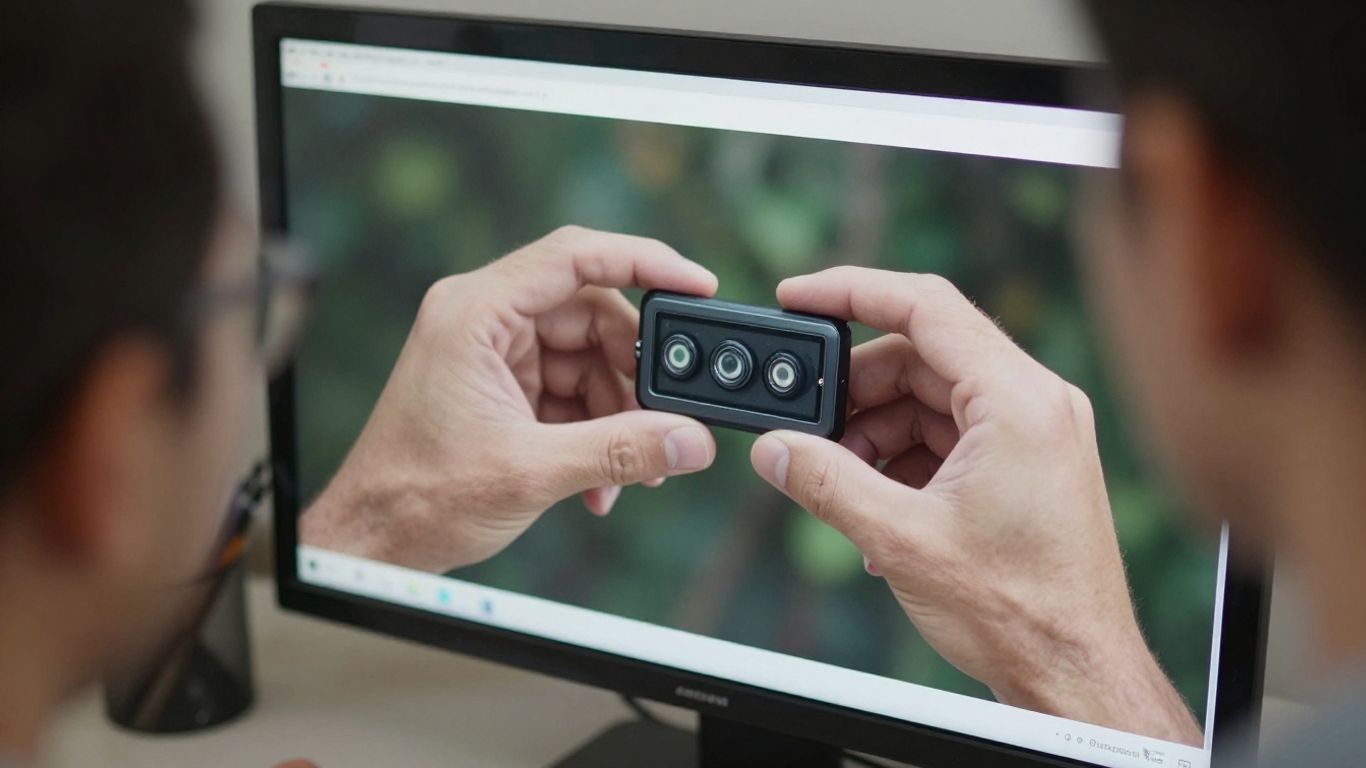
Use a copy of the image and zoom into faces, hands, jewelry, text, thin wires, overlapping objects, and boundaries between hair and background. Look for smudged textures, abrupt patterns, duplicated details, or edges that seem painted rather than photographed. Check both the center of attention and the less obvious corners.
Zooming can create false impressions when interpolation invents softness. If possible, inspect the original resolution as well as the enlarged view.
Comparing perspective, scale, and object placement
Trace imaginary lines along tables, buildings, roads, and horizons. Objects that share a surface should generally follow related perspective, while people and furniture should have believable scale relative to one another. A hand gripping a cup, for example, should sit naturally around the cup rather than in front of or behind it.
Pay attention to contact points. Feet should meet the floor, wheels should meet the road, and held objects should have a plausible grip or shadow.
Checking backgrounds for repeated or blended elements
Scan the background for windows, chairs, leaves, crowds, and architectural features that repeat too neatly or dissolve into one another. Generative systems may produce a convincing foreground while quietly blending distant objects. Crowds and foliage deserve extra attention because repetition can hide in visual noise.
A useful manual pass includes these checks:
- Compare repeated objects for identical shapes or textures.
- Follow edges where people, clothing, and buildings overlap.
- Inspect distant faces and limbs for merged features.
- Look for background objects that lack a sensible base or shadow.
After this pass, you have a pattern of observations rather than a vague feeling. That makes any later tool result easier to interpret.
Separating editing artifacts from AI-generated flaws
Real photographs can contain cloning, beauty retouching, object removal, panorama seams, or computational sharpening. Screenshots and social-media recompression can add halos and muddy details that resemble synthetic artifacts. Ask whether the oddity is local to an edited region or repeated across the entire file.
A sharp boundary around one changed object may suggest conventional editing, while inconsistent texture across several unrelated regions may justify an AI-focused check. Neither pattern is definitive without source evidence.
How AI image detectors work
AI image detectors estimate whether visual patterns resemble generated or manipulated content. Depending on the system, those patterns can include pixel relationships, frequency signals, physical consistency, metadata, generator fingerprints, and provenance information. The output is an assessment of likelihood, not a direct record of who created the image.
You can read a plain-language explanation of how image detectors analyze signals if you want more technical background without starting with model architecture.
What image classifiers analyze
Classifiers may examine texture, noise, edges, color transitions, and repeated statistical patterns. Some systems also inspect image regions separately, which is useful when a real photograph contains an AI-modified face or background. Metadata and provenance can add another layer when the original file preserves them.
The same image can produce different results after resizing, sharpening, or conversion to another format. That is why the file submitted for analysis matters.
Why detector confidence scores can be misleading
A confidence score expresses how strongly the image resembles patterns in a detector’s training and evaluation experience. It does not establish intent, authorship, or the exact tool used. A high score can be caused by heavy processing, digital art, or an unfamiliar camera workflow, while a low score does not guarantee that an image is authentic.
Read the score alongside the image, its source, and its history. A result becomes more useful when several independent clues point in the same direction.
Differences between generative models and editing tools
A fully synthetic image may contain broad inconsistencies across the scene, while an edited real photo may look natural except for one changed region. Face swaps, object removal, background replacement, and enhancement can leave different signals from an image created from an empty prompt. The question is often not simply real or fake, but what was changed and where.
That distinction affects your next step. Region-level evidence is particularly valuable when most of the photograph appears genuine.
When metadata and provenance provide stronger evidence
Metadata can show a camera model, editing software, dimensions, timestamps, and export history, although it can also be stripped or rewritten. Provenance records, including Content Credentials when available, may provide a clearer account of creation and editing events. Their absence does not prove deception, but their presence can strengthen a conclusion.
For broader context, review this content provenance guidance, then compare any record with the file and the publisher’s account. Provenance is most persuasive when it survives from the original source rather than appearing only in a repost.
How to verify an image with online tools
Online detectors are useful for a quick second opinion, especially when you do not know whether an image is synthetic, edited, or simply heavily processed. Use them after a manual look so you can compare the result with specific visual observations. Avoid presenting an automated classification as a final verdict.

Choosing an AI image detector
Choose a tool that explains what it assesses and communicates uncertainty clearly. A score is more useful when the service identifies possible manipulated regions or provides signal details rather than returning only a binary label. Check supported file types, size limits, privacy terms, and whether the analysis is intended for original files.
GPTOne’s AI Image Detector assesses whether images appear real, AI-generated, or AI-modified, and its documented workflow includes a confidence score and region heatmap. Use those outputs as investigative signals, not legal proof.
Uploading images safely and protecting privacy
Before uploading, ask whether the image contains a face, identity document, private message, unreleased research, or confidential business material. Read the service’s retention and processing policy, and prefer a local or browser-based workflow when privacy is a priority. Keep the original file stored safely so you can compare it with any exported copy.
If you must share an image publicly, remove unnecessary personal information without destroying the version you may later need for verification. Privacy and evidentiary value sometimes pull in different directions, so keep both a protected original and a review copy when appropriate.
Comparing results across multiple detection tools
Different detectors may emphasize different signals and may have been trained on different types of generated images. Run the same file through more than one carefully chosen service only when the stakes justify it, and record the file version and settings. Agreement can increase confidence, but identical outputs can also reflect shared weaknesses.
Compare results in a simple framework:
| Evidence source | What it can tell you | Main limitation |
|---|---|---|
| Visual inspection | Whether physical or rendering clues look unusual | Human judgment is subjective |
| Detector score | Whether patterns resemble generated content | Probabilistic and model-dependent |
| Region analysis | Where possible manipulation may be concentrated | Heatmaps are not proof of the edit |
| Source history | Where and when the image appeared | Earliest find may not be original |
The table is a reminder to combine different kinds of evidence. A detector should support your investigation, not replace source research or careful judgment.
Interpreting false positives and false negatives
A false positive occurs when an authentic or edited image is flagged as AI-generated; a false negative occurs when synthetic content is missed. Compression, screenshots, unusual photography, digital art, and newer generation methods can all affect performance. Even a consistent score should be treated as a prompt for further checking.
When the result conflicts with the visible evidence, preserve both findings. The disagreement may reveal a transformed file, a partial edit, or a limitation in the tool rather than a simple error.
How to check an image’s origin and history
An image’s path through the internet can answer questions that pixels cannot. Search for earlier versions, compare crops, inspect captions, and identify who first published the claim. A viral image may be authentic but miscaptioned, or synthetic but copied from an older real photograph.
This process is slower than uploading a file, yet it is often the difference between suspicion and a defensible conclusion.
Reviewing reverse image search results
Search the full image first, then try a distinctive crop if the full frame produces too many results. Compare dates, dimensions, captions, and surrounding articles rather than trusting a single match. Similar-looking images are not necessarily the same image, especially when subjects or backgrounds are common.
If an older version has different details, save both versions and compare them side by side. The differences may reveal a crop, retouch, or later synthetic alteration.
Examining file metadata and creation details
Inspect available EXIF data, file dimensions, color profiles, export software, and timestamps. Metadata can support a camera-origin story, but it is not immutable evidence because many platforms remove it and editing programs can rewrite it. Treat missing metadata as unknown, not suspicious by default.
A mismatch between the claimed camera, file format, and publication workflow can justify more questions. It still needs corroboration from the source.
Finding the earliest known publication
Record the oldest credible appearance you can find and note whether it is an original upload, a news report, or an unattributed repost. Search distinctive captions and phrases as well as the image itself. Pay attention to time zones and repost delays when constructing a timeline.
The earliest result you find is only the earliest known publication, not automatically the moment of creation. That distinction keeps your conclusion precise.
Checking captions, context, and trusted sources
Read the text attached to the image and ask whether it identifies a location, date, photographer, or event. Compare those claims with reputable reporting, official records, eyewitness material, or additional photographs. A real image placed in a false context can mislead just as effectively as a generated one.
When the image is tied to news, research, or a public allegation, seek corroboration before sharing. Context often resolves uncertainty that visual inspection alone cannot.
Why AI image detection is difficult
The boundary between photography, editing, and generation is increasingly blurred. Files are resized, sharpened, screenshotted, reposted, and recompressed before you see them. Meanwhile, image generators improve rapidly and can produce fewer of the obvious defects that made earlier outputs easy to spot.
A careful review therefore focuses on confidence and corroboration. It asks what the evidence supports, what remains unknown, and how much harm could follow from being wrong.
How compression and screenshots hide visual clues
JPEG compression can remove fine texture, soften edges, and create block patterns around text. A screenshot may discard metadata and add another layer of scaling or interface blur. Forwarded images can pass through several such transformations before reaching you.
Try to locate the highest-quality or original version before running a detector. If that is impossible, record the limitation instead of treating a weak result as certainty.
Why edited real photos may trigger detectors
A genuine photograph can look synthetic after aggressive denoising, AI upscaling, beauty filters, panorama stitching, or object removal. Computational photography may also create unusual texture and sharpening patterns without any deceptive intent. The detector sees pixels, not the photographer’s purpose.
This is why the claim “AI detected” should be separated from the stronger claim “the entire scene was generated.” Partial editing and ordinary post-processing require different language.
How image generators improve over time
Detectors learn from known examples, while generation methods change in response to new training, workflows, and post-processing. A clue that was common in older outputs may disappear, and a detector that performs well on one image family may be less reliable on another. You should expect tools and human habits to need regular updating.
Novel images can also be difficult to classify when there is little comparable data. Uncertainty is a normal part of the process, not a sign that verification has failed.
Why no single test can guarantee authenticity
Pixels, metadata, detector scores, reverse searches, and captions each answer different questions. None alone can guarantee that an image is untouched, accurately described, or created by a particular person. Even provenance records may cover only part of an image’s journey.
Use a layered approach and match your effort to the stakes. A casual repost may need a quick check, while a legal, academic, journalistic, or financial decision deserves original files and independent corroboration.
What to do when an image may be AI generated
Your response should depend on both the evidence and the potential consequences. Do not rush from “unusual” to “fake,” especially when a person’s reputation, livelihood, or safety is involved. Preserve the file, note what you checked, and separate observed facts from your interpretation.
The goal is not to sound certain. It is to make the most accurate decision possible with the information available.
Labeling uncertainty accurately
Use language that reflects the evidence: “appears AI-generated,” “may contain AI editing,” “detector flagged the image,” or “origin could not be verified.” Avoid saying an image is definitively fake when your only basis is a score or a visual hunch. If new evidence appears, update the label rather than defending the first impression.
Clear wording protects readers from false certainty and makes your review easier for someone else to audit.
Avoiding the spread of misleading content
Pause before reposting an image with a dramatic claim, particularly during breaking news or a crisis. Save the link and source information, search for earlier appearances, and check whether trusted outlets or official accounts have addressed it. If you already shared it and later discover a problem, correct the post visibly.
Do not amplify a suspicious image merely to ask whether it is fake. Cropping, blurring private details, or sharing a text description may reduce unnecessary harm.
Verifying images used in news or research
Journalists and researchers should preserve the original download, document search dates, record detector outputs, and maintain a chain of custody for important files. Seek confirmation from the source, photographer, institution, or relevant experts. For high-stakes use, have another reviewer repeat the process independently.
A detector can prioritize which images deserve attention, but publication decisions should rest on multiple lines of evidence. Method notes make your conclusion more transparent to editors, readers, and peers.
Reporting suspected manipulation on social platforms
Use the platform’s reporting path when an image appears to violate rules or is being used to defraud, harass, impersonate, or mislead. Include the original post, the suspicious claim, and any credible source comparison. Avoid making unsupported accusations in the report or in public replies.
If the issue involves immediate safety, financial fraud, or impersonation, preserve evidence before reporting. Platform action may remove the post, but it does not replace your own records.
Conclusion
When you ask “is this image ai generated,” begin with careful observation and follow with detector evidence, provenance, reverse search, and source checks. You may not reach absolute certainty, but a layered review helps you communicate what the image shows, what may have changed, and what remains unknown.
Frequently Asked Questions
Can you tell if an image is AI-generated just by looking at it?
Sometimes visual clues are strong, but appearance alone cannot guarantee an answer. Inspect several regions and compare your observations with source history and other evidence.
What is the first thing to check in a suspicious image?
Start with hands, eyes, teeth, text, reflections, shadows, and object boundaries. Then zoom out and check whether perspective, scale, and lighting work across the whole scene.
Are AI image detector scores conclusive?
No. Scores are probabilistic signals that can be affected by compression, editing, screenshots, digital art, and unfamiliar image-generation methods.
Can a real photo be flagged as AI-generated?
Yes. Heavy processing, AI enhancement, computational photography, and partial edits can make an authentic photograph resemble synthetic content to a detector.
Does missing metadata prove an image is fake?
No. Social platforms and editing software often remove metadata. Missing information means the file history is incomplete, not that the image is necessarily manipulated.
Why does reverse image search sometimes fail?
The image may be new, cropped, private, poorly indexed, or altered enough that matching systems cannot find it. Try distinctive crops and search captions or descriptions as well.
What should you say when you are unsure about an image?
Use precise language such as “may be AI-generated” or “could not be verified,” explain what you checked, and avoid sharing the image as established fact until stronger evidence appears.